The Setup
All of my projects run on one machine: a Minisforum MS-02 Ultra (24-core Intel Core Ultra 9, 1 TB NVMe) running Ubuntu Server without a desktop. It hosts my 68 GB stock database, my research projects and their dashboards, my trading bot’s paper desk, and my notes.
I moved everything onto it from an older server one project at a time. Each service was shut down on the old machine before it started on the new one, so nothing ever ran in two places. For the database, I counted rows in every table on both machines before switching over. All 438 production tables matched.
The server has three parts: networking, notes, and the AI tooling that ties them together.
1. Private Networking with Tailscale
The server isn’t exposed to the internet. It’s on a Tailscale private network, so my laptop and phone can reach it from anywhere, while dashboards, SSH, and dev servers stay visible only to my own devices.
Claude needs to reach the server from Anthropic’s side, so there is one public route, through Tailscale Funnel. It goes to an OAuth 2.1 login proxy I run, not to the tools directly. A request only reaches the tool server after logging in.
Behind the proxy:
- A firewall rule blocks the tool server’s port unless the request comes from the machine itself.
- Each file tool is limited to its own project folder and refuses
../paths and.envfiles. - Before moving tools from the old server, I audited them and found some tool groups had no path checks at all. I added them before the move.
One bug worth writing down. The public address worked on the old server but never showed up on the new one. Testing from the server itself always passed, because the server resolves its own name over the private network. Checking public DNS directly showed the record didn’t exist. I compared every Tailscale setting between the two machines and found one difference: a hostname flag I had set during install. Clearing it fixed it.
2. an Obsidian Vault on Git
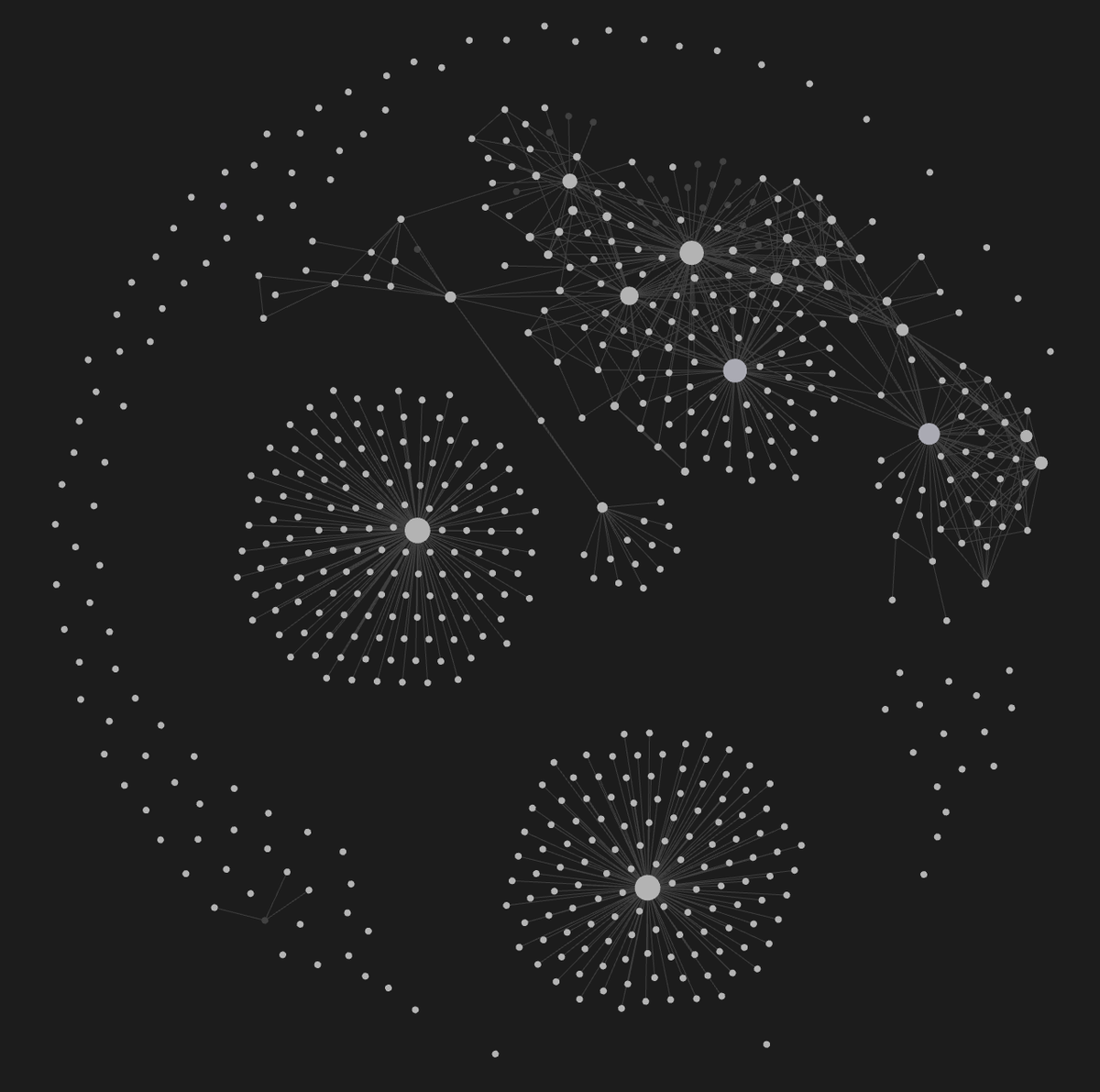
My notes live in an Obsidian vault: project notes, reference docs, decisions, and infrastructure write-ups. The vault is a git repository on the server, synced to GitHub, with a second clone on my laptop for Obsidian’s graph view.
Saving is automatic:
- A file watcher sees a change, waits a few seconds, and commits.
- A pre-commit hook records who made the change (Claude, Cursor, or me) in that day’s log.
- A post-commit hook pushes to GitHub.
Reference notes start with a short summary written for an AI assistant reading the note for the first time, so it knows what the note covers and what has already been decided. Here’s the top of a real one:
---
date: 2026-10-24
type: reference
topic: infrastructure
tags: [ms02, local-ai, llm]
related-projects:
  - "[[Knowledge/MS-02 Server Setup]]"
  - "[[Projects/Life-Dashboard]]"
ai-first: true
---

# MS-02 Local AI Setup

## For future Claude
Plan for running local coding models on the MS-02 (CPU-only for now).
Conclusion: local gets close on benchmarks, not on speed; the box works
best as a background executor, and a GPU is the only real speed lever.
One thing I learned moving the vault: git clone doesn’t copy git hooks. After the move, the vault stopped pushing until I copied the hooks over by hand.
3. Claude Plans, Cursor Builds
I use two tools for coding, each for a different part of the job. Claude, a reasoning model, figures out what needs to change: it reads the code, the database schema, and my notes, then writes a detailed task. Cursor, a coding agent, makes the changes: it edits the files, runs the tests, and commits.
Claude reaches my projects through an MCP server on the machine. MCP is the protocol AI assistants use to call tools, and mine has 56 tools across eight project areas: the stock database, the earnings models, the factor model, the trading bot, my dashboard, this website, and the vault.
The handoff goes like this:
- Claude writes
cursor_task.mdin the repo: background, the exact changes, files not to touch, tests to run, and what to report. - Cursor does the work on a new branch, commits each step, and writes
cursor_output.md. - Claude reads the output and checks it against the task. I decide whether it gets merged.
Both files are plain text in the repo, so every handoff is in the git history.
Cursor Rules
Each repo also has a rules file in .cursor/rules/ that Cursor loads on every task. The task file says what to do this time. The rules file covers what applies to every task in that repo. Here’s part of the one for my earnings model:
---
description: Git workflow, compute limits, and non-negotiable
  modeling rules for the earnings-surprise-model repo
alwaysApply: true
---

## Git workflow
**Never commit directly to `main`.** `main` changes only by
merging a branch Rehan has approved.

1. Branch from an up-to-date `main` before making any change.
   One branch per task.
2. **Commit every change as you go.** If work is interrupted,
   whatever exists must already be committed.
4. **Merge only when Rehan says so.**
5. Never `git push --force` and never `git reset --hard`
   committed work.

## Compute
Use all cores by default. TOTAL SYSTEM RAM IN USE must never
exceed 26 GB.

**Watchdog (always on)**
- At 25.0 GB it stops dispatching new chunks.
- At 26.0 GB it stops workers cleanly and exits non-zero.

## Database access
Read from `public` and `market`. **Write only to the `esm`
schema.** If you find a stock-database problem, report it.
Do not fix it from this repo.

## Modeling rules that do not bend
Every feature must be knowable strictly before the decision
time. The leakage test enforces this; never weaken it.

**Pre-registration.** Every rule and threshold is fixed before
results are seen.

**Never drop silently.** Every missing label gets a reason.
The rules have stopped real mistakes. During one data task, a database check was failing, and the quick fix would have been to loosen it. Cursor didn’t, because the rules say not to weaken checks that protect point-in-time data. The actual problem was about 84,000 rows of financial data dated weeks earlier than they were really published, which a looser check would have let through.
What I’d Do Differently
Write the migration rules down first. Moving one service at a time and counting rows on both machines are what made the move safe, but I only settled on them partway through.
Put the tool server in git. It started as one script with backup copies. It’s now 56 tools and has no real history.
Use Ethernet. The server is on Wi-Fi.